Make your screenshots
look this good.
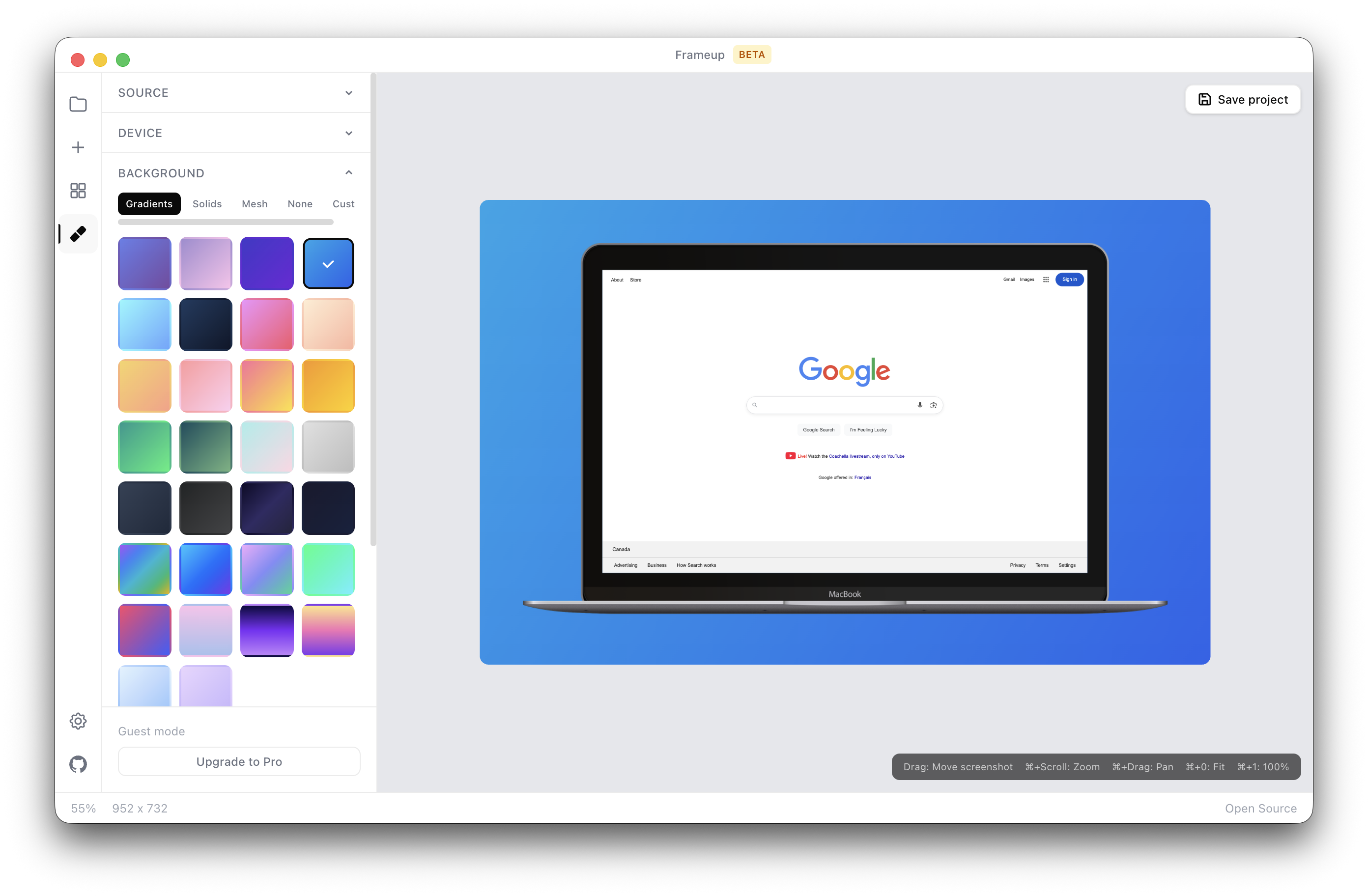
Capture, frame, and export beautiful device mockups. Works entirely on your machine — no account, no cloud, no subscription.
- ✓ MIT Licensed
- ✓ No account required
- ✓ Everything stored locally
- ✓ macOS only
- ✓ Open source on GitHub
Everything you need.
Nothing you don't.
Six powerful tools, completely free.
Capture Anything
URL via Playwright, drag-and-drop, local files, iOS Simulator, batch sitemap capture, and spreadsheet imports.
195+ Device Frames
iPhone, Android, iPad, MacBook, iMac, and browser chrome (Chrome, Safari, Firefox, Arc). Light & dark variants.
Beautiful Backgrounds
26 gradient presets, 14 solid colors, 5 mesh gradients, and a transparent option for total control.
Overlays & Badges
Custom text, App Store, Play Store, Mac App Store, and Product Hunt badges. Custom image overlays too.
Batch Export
One button exports to App Store, Play Store, Mac App Store, iPad App Store, and major social platforms at the correct sizes.
100% Local
SQLite database stored on your machine. No cloud sync, no account, works offline. Configurable data directory.
Capture → Frame → Export.
That's it.
Capture
Paste a URL, drag in an image, or import from your local files or iOS Simulator.
Frame & Style
Pick a device frame, choose a background, and add any badges or overlays you need.
Export
Export a single image or batch-export to every platform size with one click.
Built in the open.
MIT licensed and fully forkable. Read the source, open an issue, or contribute — it's all on GitHub.


